
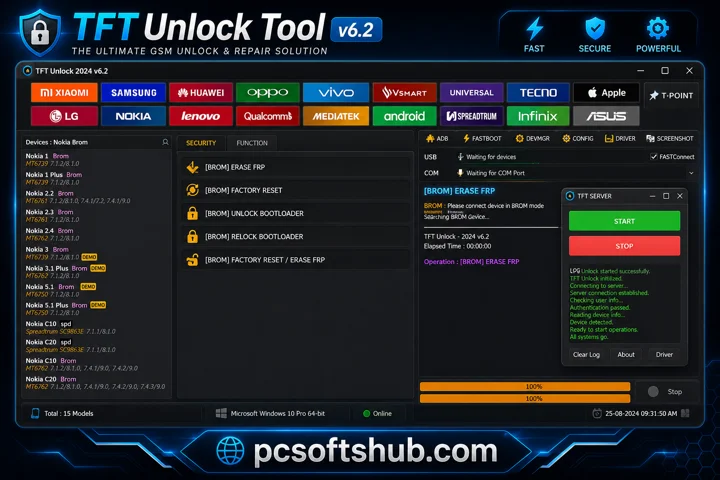
TFT Unlock Tool v6.2 is a useful software for Samsung mobile repairing and Android software fixes. It allows users to perform various repair functions for free on personal devices using a computer or laptop.
Try More Tools Visit: https://pcsoftshub.com/
What is TFT Unlock Tool v6.2?
TFT Tool is a mobile repair software that helps users fix Android operating system issues using a computer or laptop. It is easy to use and offers both free and paid features depending on the version. To access all TFT Tool features, users may need to purchase the full version. However, free versions are also available for basic mobile repair tasks and personal use.
Key Features Of TFT Unlock Tool 2026
FRP Bypass
FRP (Factory Reset Protection) is an Android security feature introduced in Android 5.1 and later to prevent unauthorized access after a factory reset. TFT Unlock Tool includes a built-in FRP bypass feature that helps users remove Google account verification and regain access to locked devices.
Screen Lock Removal
It can remove screen locks such as PIN, password, pattern, fingerprint, and Face ID, helping users regain access to locked Android devices. In many cases, the device can be unlocked without data loss.
Factory Reset
TFT Tool can erase all data, apps, and settings from Android devices, restoring them to factory default settings to improve performance and fix software issues.
Bootloader Unlocking
Some versions of TFT Unlock Tool support bootloader unlocking for selected devices, allowing users to install custom ROMs, root devices, and perform advanced modifications.
IMEI Repair
TFT Unlock Tool can repair invalid or missing IMEI numbers on supported devices, especially after firmware flashing or software issues.
Wide Device Compatibility
This tool supports many Android brands, including Samsung, Oppo, Tecno, Realme, Vivo, Infinix, Huawei, Lenovo, Xiaomi, Asus, LG, and Meizu, along with Qualcomm-based devices.
Compatibility with Windows OS
TFT Tool supports installation on Windows 7, 8, 10, and 11. It can also run on macOS and Linux using a Windows emulator.
TFT Unlocker no internet connection? How to fix
- If you see the “No Internet Connection” error in the TFT Unlock Tool,
- Try connecting your PC to a VPN,
- Install the latest version from the official website,
- Keep the tool updated.
- Older versions may not work correctly.
How To Download TFT Unlock Tool v6.2?
- Download TFT Unlock Tool 6.2.1.1 from a trusted Website.
- Extract the ZIP or RAR file using WinRAR or 7-Zip.
- Open the extracted folder and run the setup file.
- Install the required USB and ADB drivers.
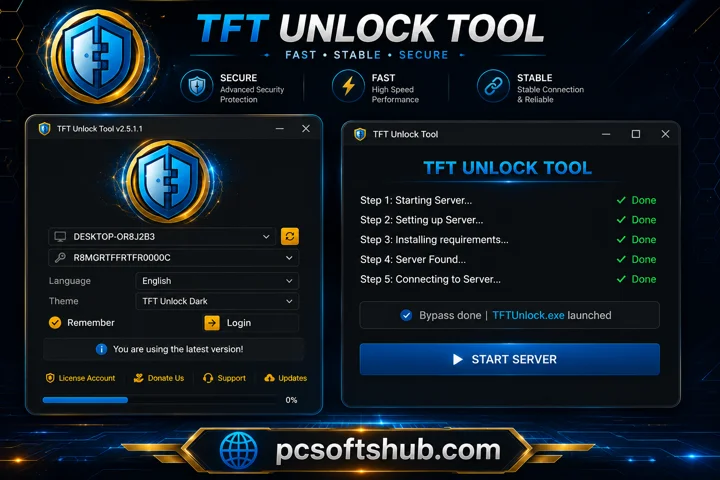
- Follow the on-screen instructions to complete installation.
- Run the tool as Administrator after installation.
- Enable USB Debugging from Developer Options on your phone.
- Connect the device with a USB cable and start the repair process.
Download Information
- File Version: v6.2
- File Size: 624.60 MB
- 🗝File Password: pcsoftshub
- Download Link👇
Final Verdict
TFT Unlock Tool is a powerful Android servicing solution popular among technicians because of its wide device support, multiple repair features, and regular updates. However, users should use it carefully due to technical complexity, security risks, and legal considerations. It is recommended to download the tool from trusted sources, back up important data, and follow local laws before use.
Frequently Asked Questions About TFT Unlock Tool (FAQ’s)
Does TFT Unlock Tool work on all Android phones?
TFT Unlock Tool supports many Android brands and models, although compatibility may differ for some newer or highly secured devices.
Is TFT Unlock Tool free?
Free and unofficial versions of TFT Unlock Tool are available online, but some advanced features may require the official paid version or VPN activation.
Can TFT Unlock Tool bypass network carrier locks?
Yes, TFT Unlock Tool v4.6.5 can bypass some network carrier locks under supported conditions. Users should always follow local laws and carrier policies before using these features.
Can TFT Unlock Tool be used without a PC?
No, TFT Unlock Tool is a PC-based software that requires Windows to operate.